



Is there a Lucky Hills Casino app? Yes, but not in the form many people expect. There is no listing in the App Store or Google Play and no APK file. The operator offers a Progressive Web App (PWA): you install it straight from Chrome or Safari, it gets its own icon on your home screen, and it opens the full casino without a browser address bar.
The LuckyHills app works on Android, iPhone and iPad, Windows and macOS, and installing it earns 20 no-deposit free spins. Below: install steps for each platform, device requirements, app vs mobile website, payments, safety for Canadian players and whether it deserves a spot on your phone. For the casino as a whole, see our full Lucky Hills Casino review.
Lucky Hills app at a glance
Key facts about the Lucky Hills Casino mobile app, taken from the operator's own pages:
- Type
- PWA (Progressive Web App)
- App Store / Google Play
- Not listed
- APK file
- None offered by the operator
- Android
- Chrome: ⋮ menu → Install app
- iPhone and iPad
- Safari: Share → Add to Home Screen
- Desktop
- Windows (Chrome) and macOS (Safari or Chrome)
- Languages
- English and French
- Currency
- CAD
- Install bonus
- 20 no-deposit free spins, x40, max win 75 CAD
- Price
- Free
Why the Lucky Hills Casino app is not in the App Store or Google Play
App stores usually apply strict rules to real-money gambling apps, and offshore-licensed brands typically do not get listings for Canadian users. The operator does not publish its reasons, but instead of an APK file that you would have to sideload, it offers a PWA. So there is no Lucky Hills Casino download from a store at all.
A PWA is a website that your browser can install like an app. As a rule it loads from the casino's servers, which means nothing large to download, usually no manual updates, and no need to allow installs from unknown sources. The "Lucky Hills app download", then, is your browser saving the site as an app. The trade-off is that it depends on your browser: the install option appears in Chrome and Safari as described below.
If you see a "Lucky Hills APK" offered on a third-party site, do not install it. The operator does not publish one, so any Lucky Hills Casino APK circulating online comes from someone else.
Lucky Hills Casino app Android installation
On Android the whole process happens in Chrome and takes a few taps. There is no file to download and no security setting to change.
- Open Chrome on your phone or tablet.
- Go to the official Lucky Hills website and check the address.
- Tap the ⋮ menu in the top corner and choose Install app.
- Confirm. The icon appears on your home screen and in the app drawer.
- Open it and log in, or sign up if you do not have an account yet.

If you do not see Install app, update Chrome and reload the page. On some Android skins the same option may appear as Add to Home screen. Lucky Hills Casino Android users do not need any other browser.
How to install the app on iPhone and iPad
Apple devices do not use an install menu. Instead, Safari adds the Lucky Hills site to your Home Screen, where it behaves like an app.
- Open Safari and go to the official site.
- Tap the Share icon.
- Scroll down and tap Add to Home Screen.
- Keep or edit the name, then tap Add and open the new icon.
Safari is the browser the operator describes for the Lucky Hills Casino app on iOS. This is general iOS behaviour rather than an operator rule, but a site added to the Home Screen opens in its own window with no address bar and no Safari toolbar, which is most of what makes it feel like an app rather than a bookmark.
Desktop shortcut on Windows and macOS
The same PWA can sit on a computer as a standalone window.
- Windows: open the site in Chrome, click the install icon at the right side of the address bar, and approve. Chrome typically adds a shortcut to the desktop and the Start menu.
- macOS: in Safari, use Share → Add to Dock; in Chrome, use the install icon in the address bar as on Windows.
No separate LuckyHills download is needed on a computer either. A Lucky Hills desktop window is handy for live dealer tables on a larger screen and keeps the casino apart from your other tabs.
Supported devices and requirements
Lucky Hills does not publish minimum operating system versions or storage requirements. The table therefore lists what the install method needs, based on how PWAs work in general.
| Platform | Browser | How it is added | General requirement |
|---|---|---|---|
| Android phones and tablets | Chrome | ⋮ → Install app | Up-to-date Chrome |
| iPhone and iPad | Safari | Share → Add to Home Screen | Current iOS or iPadOS version |
| Windows | Chrome | Install icon in the address bar | Up-to-date Chrome |
| macOS | Safari or Chrome | Add to Dock or install icon | Current browser version |
Plan on a stable internet connection in every case. Games run from the server, and a casino PWA generally does not work offline. Live casino tends to need the most bandwidth, which is why Wi-Fi makes sense for long live sessions.
Lucky Hills mobile casino: app vs mobile website
You can also play in a regular mobile browser. The account, games and cashier are the same; the differences are in convenience and one bonus.
| Feature | Installed PWA | Mobile website |
|---|---|---|
| Access | Icon on the home screen | Open the browser and the address |
| Screen space | No address bar | Browser bars take space |
| Signing in | One-time authorisation, per the operator | Sign in as the browser and your session allow |
| 20 free spins for installing | Yes | No |
| Updates | Usually automatic (not described by the operator) | Automatic |
| Games, cashier, account | Full | Full |
If you play regularly, the PWA is the better option: it is quicker to reach, cleaner on a small screen and comes with free spins. Occasional visitors lose very little by sticking with the Lucky Hills Casino mobile site in the browser.
What you can do in the app
The operator lists a one-time login, quick access to bonuses, promotions and slots straight from your screen, and loading measured in fractions of a second. In practice, that means everything the desktop site does:
- Sign up and log in. The Lucky Hills Casino app login uses the same account as the website, so one registration covers every device.
- Deposits and withdrawals. The full cashier is available: cards, vouchers and crypto in, bank transfer or crypto out.
- Live casino. All live dealer tables are included, not a reduced mobile selection.
- Bonuses. The Bonuses tab in your profile is where the install spins and every other offer are activated.
- Responsible gambling. Deposit and loss limits, cooling-off periods, session reminders and self-exclusion are part of the account, whichever device you use.
- Support. 24/7 live chat, plus email at [email protected].
Verification comes before your first withdrawal in any case, so having clear photos of your ID on the same phone — and being somewhere you can take a live selfie — saves time.
Mobile games: slots, live casino and table games
The Lucky Hills Casino mobile app carries the same library as the desktop site, with nothing held back for mobile.
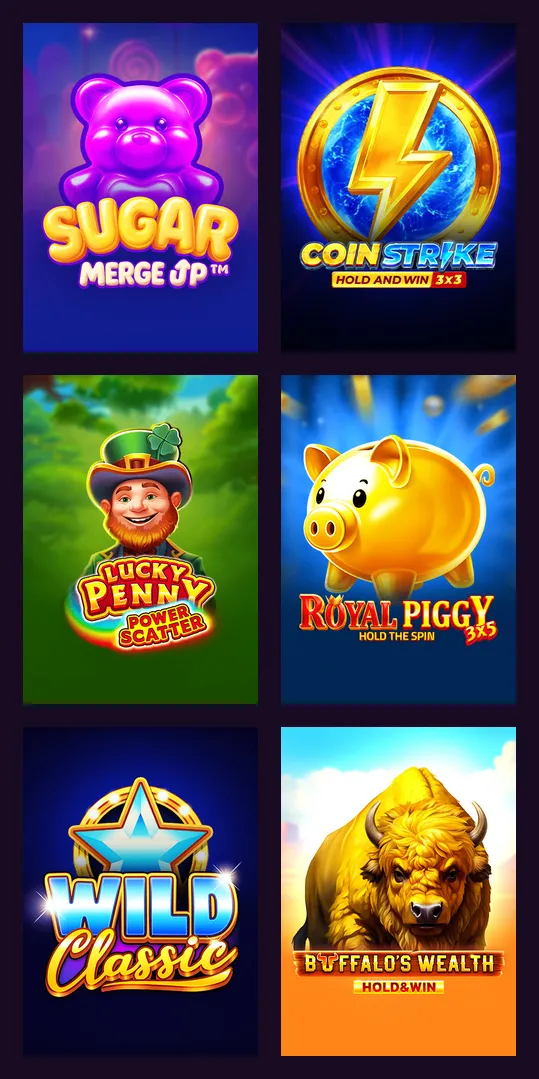
Slots
The operator counts 7,393 games from 115 providers as of September 2026, with Pragmatic Play, BGaming, Playson, Platipus, Gamzix and 3 Oaks among the studios. Titles such as Sweet Bonanza, Gates of Olympus 1000, Elvis Frog in Vegas and Buffalos Wealth Win Spins are easy to find through search, and demo mode lets you try a game before staking money.
Live casino
Live tables come from around 20 studios, among them Pragmatic Play Live, Imagine Live, Winfinity, Lucky Streak and VivoGaming: roulette, blackjack, baccarat, poker, bingo and game shows. Live streams use more data than slots, so keep an eye on your mobile plan.
Table, crash and jackpot games
RNG blackjack in classic and multi-hand versions, European and multi-wheel roulette, baccarat, casino hold'em and video poker sit alongside crash games, bingo and jackpot slots. Remember that table games, roulette and video poker count 0% toward bonus wagering, and that bonus money cannot be staked on jackpot or bonus-buy slots at all.
Lucky Hills Casino app bonus: 20 no-deposit free spins
Installing the PWA unlocks an offer the mobile website does not have.

- 20 free spins, each worth 0.10 CAD
- No deposit required
- Wagering x40
- Maximum win 75 CAD, the general ceiling on no-deposit winnings, payable once the account is verified
- Once per player, activated in the Bonuses tab of your profile
The spins are modest and the 75 CAD cap limits the upside. What you do get is a free test of how games run on your device, with no code to enter.
All other offers work in the app exactly as on the website: the welcome package of up to 2,000 CAD + 100 free spins over two deposits, weekly cashback of up to 10% and the bonuses attached to loyalty levels. Wagering on the deposit offers is x40, and only bets up to 7.50 CAD count toward it. Tables, examples and full terms are in our Lucky Hills bonus guide.
Deposits and withdrawals in the app
The Lucky Hills cashier in the app mirrors the website, and all amounts are in CAD. The casino charges nothing to deposit, but your bank or payment provider may, and the terms allow a fee on some withdrawal methods.
| Method | Deposit | Withdrawal | Withdrawal time |
|---|---|---|---|
| Visa / Mastercard | 20–3,000 CAD, instant | Not in the published table | — |
| MiFinity | 15–3,000 CAD, instant | Not in the published table | — |
| CashtoCode / Neosurf vouchers | 10–1,500 / 10–1,000 CAD, instant | Not in the published table | — |
| Crypto (BTC from 20 CAD, ETH from 90 CAD, LTC, USDT, TRX, DOGE, BCH, SOL, USDC from 10 CAD) | Up to 2,000 CAD, after network confirmations | 50–2,000 CAD (Ethereum from 60) | Not published per method |
| Inpay bank transfer | — | 50–2,000 CAD | 1 hour to 3–5 banking days after approval |
Every listed method caps a single withdrawal at 2,000 CAD; weekly and monthly ceilings are not published. Nothing in that table is specific to a phone — Apple Pay turns up in the operator's payments text but without limits of its own — so using the app does not add payment options. At most, having the app and your wallet on one device can make a crypto transfer quicker to confirm.
Is the Lucky Hills app safe?
The app is the operator's own site in app form, so it carries the same licence: Complete Technologies N.V. operates under Curaçao Gaming Authority licence OGL/2024/923/0383, valid since 24 March 2025. Because it installs from the browser, it needs no sideloading, no store account and no permission to install from unknown sources.
The main risk is where you install it from. Add the app from the operator's own Canadian domain, luckyhills-ca.com, and avoid APK files or "mirror" links shared elsewhere; several sites using the brand name belong to affiliates rather than the casino. A fake site can look identical and collect your login details.
Canadian rules. The brand is licensed in Curaçao, not by a province, and it is not on iGaming Ontario's list of regulated operators, so Ontario's player protections do not apply to it. You must be 19+ in most provinces, or 18+ in Alberta, Manitoba and Quebec. Our Lucky Hills Casino review covers the licence and terms in more detail.
Lucky Hills app FAQ
Is the Lucky Hills Casino app download free?
Yes. There is nothing to buy or download from a store: you install the PWA from Chrome or Safari at no cost, and it earns 20 no-deposit free spins.
Is there a Lucky Hills APK for Android?
No. The operator does not offer an APK. On Android, open the site in Chrome and choose Install app from the ⋮ menu. Avoid APK files from third-party sites.
Can I install the app on iPhone without the App Store?
Yes. Open the site in Safari, tap Share, then Add to Home Screen. The icon works like a regular app.
Are the bonuses the same in the app?
Yes, and the app adds 20 free spins for installing it. The welcome package, weekly offers and cashback are identical; see our full bonus breakdown for the terms.
How do I update the Lucky Hills app?
Usually you do not need to. A PWA typically loads the current version from the operator's servers when you open it; the operator itself does not describe an update process.
Does the app work in French?
Yes. The platform works in both English and French, and the app follows the same language options.
How do I remove the app or limit my play?
Delete the icon like any other app; your account stays intact. To control play, set deposit limits or session reminders in your account, or use self-exclusion if you need a break.
Our verdict on the Lucky Hills app
The Lucky Hills mobile experience is one of the brand's stronger points. The PWA installs in a few taps on Android, iPhone and desktop, needs no APK or store account, carries the full game library and cashier, and pays 20 no-deposit free spins for the effort. Most of the downsides belong to the brand, not the app: x40 wagering on bonuses, withdrawals from 50 CAD and capped at 2,000 CAD per request by bank transfer or crypto only, and a Curaçao licence instead of provincial regulation. For regular mobile players in Canada, the app is worth installing.